Custom web applications
Who this is for (and who it is not)
If you run a small hotel or rentals and you’re losing time every week to the same admin loops, this is NOT for you. It’s for larger business owners who want fewer mistakes, fewer WhatsApp messages, fewer bad reviews on TripAdvisor and more critical remarks from their clients in their internal systems – less “Who did that?” or how did this happen – between staff. It’s also for people who are willing to change a workflow if it makes the business calmer and measurably cleaner.
If you’re looking for a “cool app” because it sounds modern, we’re not for you. If you want a system that replaces your PMS, your channel manager, your booking engine, and your accountant in one go, we’re NOT for you. If this feels uncomfortable, we are NOT for you.
The situation you probably recognise
You don’t have a “tech problem”. You have a repeatability problem. The same information gets asked three times, typed twice, and still ends up wrong. Then the team improvises, because nobody has time to chase the missing details again.
It shows up as small leaks that become expensive over a season. Wrong arrival times, missing ID details, invoices that don’t match, housekeeping not updated, a guest message missed because it lived in the wrong inbox. Owners usually notice it when they’re paying experienced staff to do copy-paste work, and still dealing with guest complaints.
What a custom web application actually solves in real operations
A custom web application is not a website page. It’s a small internal system that matches your workflow, not a generic software company’s idea of your workflow. It lives in a browser, so staff can use it from reception, from a phone, or from a back office PC without installing anything.
It solves one thing: the gap between “how the work really happens” and “where the data is supposed to be”. That gap is where errors breed. That’s also where owners waste the most money, because the cost is hidden inside salaries, refunds, discounts, and stress.
If you want a simple definition, custom software is for when the work is repetitive, the consequences are real, and no off-the-shelf tool fits without bending your business into their shape. Wikipedia’s overview is bland but accurate if you want a neutral baseline: https://en.wikipedia.org/wiki/Custom_software
What changes after it’s in place
When it’s done correctly, the business feels less fragile. Not “automated” in a magical way. More like the same work happens with fewer touchpoints, and fewer opportunities to forget something.
You stop depending on memory and heroics. New staff can follow the same steps without guessing. You can see what’s happening without calling five people. And when something goes wrong, you can trace it, fix the step, and prevent it from repeating.
The best part is boring: fewer “small emergencies”. Those are the ones that steal your day.
Examples in plain language (the kinds of things we build)
Automatic guest info collection that doesn’t create chaos
Instead of chasing passport details through messages, you send one link. Guests fill a simple form that matches what you actually need, in the order you need it. The data lands where your staff can use it, not in a messy email thread. If a guest skips a critical field, the form doesn’t pretend everything is fine.
This reduces the back-and-forth that burns reception time. It also reduces the “We have it somewhere” problem. You still stay polite with guests, you just stop doing data entry like it’s 2009.
If you care about why form friction matters, Google has written about reducing unnecessary steps and cognitive load, even though they talk more about ecommerce than hotels: https://support.google.com/analytics/answer/9327974
Internal checklists that don’t live in someone’s head
Housekeeping and maintenance issues rarely fail because people don’t care. They fail because the handoff is weak. A custom checklist can be tied to arrivals, departures, and room status, so tasks appear when they should, and disappear when they’re confirmed.
You don’t need a “project management tool”. You need a yes or no reality check that matches your rooms and your team. When a room is marked ready, you can see who did it and when. If something gets missed, you can see where the process broke, not just who to blame.
Simple dashboards that show the truth without extra work
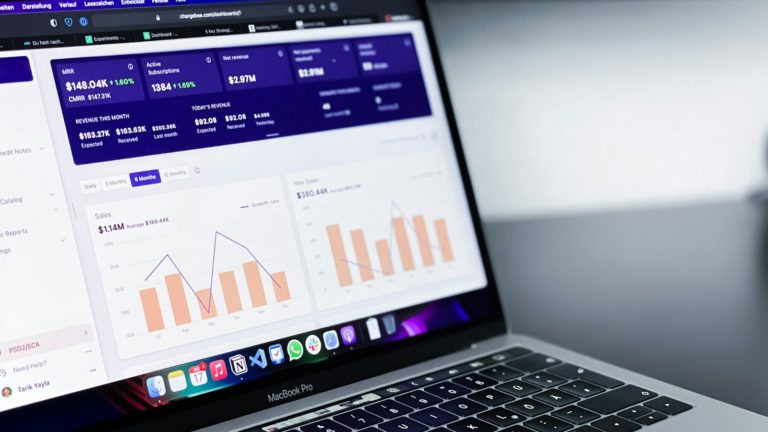
Most owners don’t need “analytics”. They need a clear daily view: what’s arriving, what’s pending, what needs money, what needs attention. A dashboard can pull from your existing tools and show only what matters, in your language, with your categories.
If you currently rely on spreadsheets that nobody updates on time, this is where a custom app pays back fast. Not because spreadsheets are bad. Because humans are busy and they stop updating them the moment the season gets loud.
Syncing data between tools so you stop retyping
This is the unglamorous one, and it’s often the most valuable. You already have tools: a PMS, a channel manager, an invoicing system, a mailbox, maybe a lock system. The problem is they don’t talk to each other the way your business needs.
A custom web app can act like a bridge. Not a full replacement. It can move specific data points so staff stops copying names, dates, charges, or notes between systems. That reduces mistakes and also reduces the quiet resentment staff feels when the job becomes endless admin.
When people ask “Is this even possible?”, the answer depends on the tools. Many support integrations through APIs. If you want a neutral explanation of what an API is, Cloudflare explains it without marketing noise: https://www.cloudflare.com/learning/security/api/what-is-an-api/
Custom forms that reduce back-and-forth with staff and partners
Think of the recurring questions: airport transfer details, late check-in confirmations, extra bed requests, special invoicing details for companies, maintenance reports from staff. Every time it goes through messages, you lose structure. Then you lose time.
A custom form can collect exactly what’s needed and route it to the right place. Not “send an email to everyone”. Route it so the right person sees it, and the request becomes trackable. You stop relying on memory and screenshots.
What’s included when we build a custom web application
- One workflow mapped as it actually happens, including where mistakes happen and who touches the data
- A small web application that supports that workflow, with clear roles for owner, reception, housekeeping, and whoever else uses it
- Forms, checklists, and screens written in your language, using the terms your staff already uses
- Basic reporting that answers operational questions, not vanity metrics
- Controlled access, so not everyone can see or change everything
- Integration points when your existing tools allow it, limited to what’s needed for the workflow
- A stable way to handle changes after real use reveals what should be adjusted
What it does not solve (so you don’t buy the wrong thing)
Custom software won’t fix a broken business model. It won’t turn low demand into high demand. It won’t make a bad pricing strategy work. It also won’t fix staff issues if the real problem is training, culture, or unclear responsibilities.
It also won’t magically unify every system you use. Some tools are closed. Some are messy. Some vendors promise “integrations” that are half-working and then blame everyone else. We’ve seen this fail many times, and the failure always looks the same: someone buys software expecting it to behave like a human assistant.
If your main pain is visibility and bookings, that’s a different conversation. UnderLab does that too, but a custom app is not the first move for that.
When custom software makes sense for a small hotel
It makes sense when the workflow repeats, the stakes are real, and the workaround has become normal. Not once a month. Every week, sometimes every day. And the impact is not theoretical. It shows up in refunds, discounts, staff overtime, or owner burnout.
It also makes sense when you have a stable way of operating. Not perfect, stable. If your process changes every week because you’re still figuring out what kind of business you are, custom software will chase a moving target. That gets expensive in attention, even if nobody talks about money.
A practical rule: if a task requires staff to copy the same information between systems more than once, you’re a candidate. If mistakes happen in the same spot again and again, you’re a candidate. If you can’t explain the workflow step-by-step, you’re not ready yet.
When it’s a bad fit
If you want the app to “force” staff to work properly, it’s a bad fit. Software supports discipline, it doesn’t create it. If you don’t have someone on your side who can own the workflow internally, it’s also a bad fit. Otherwise every small question becomes a bottleneck.
It’s also a bad fit if another agency or freelancer has uncontrolled access to your systems and keeps changing things. No optimisation if other agencies have access, because you’ll never know what caused what. You’ll also end up paying for detective work, and that’s not a business investment.
It’s a bad fit if you expect a custom app to replace your PMS or channel manager. Those tools exist for a reason, even if they annoy you. A custom app is usually the layer that makes them usable in your real day-to-day.
How we deliver (and why we do it this way)
We start small. One workflow. One painful loop. We prove value fast, then expand only if it works. This is not a “big system rollout” approach because small tourism businesses don’t have time for that, and honestly, most teams won’t adopt it.
We’ve built dynamic database websites since 1999, and we’ve watched owners get burned by big builds that looked impressive and failed in the first season. The break usually happens at the handoff: staff doesn’t use it because it doesn’t match reality, or it adds steps, or it’s too fragile when something unexpected happens.
So we build like we expect reality to fight back. Because it will.
What we need from you (so the result fits)
We don’t need you to be technical. We need you to be specific. One workflow described step-by-step, as if you’re explaining it to a new employee on day one. Who does what, in what order, and where it goes wrong.
We also need to know who uses it. Reception, housekeeping, maintenance, you, an accountant, an external partner. Different users need different screens and permissions. If everyone sees everything, it becomes a mess fast.
And we need your definition of success. Not “more efficient”. Something you can recognise in operations. Fewer missing guest details. Less time on check-in admin. Fewer invoice corrections. Fewer calls between reception and housekeeping. If you can’t describe success, you won’t know if the app is helping or just existing.
Contact us
send us an email at web@underlab.gr
call us: +306980700070
send a message via WhatsApp
send an SMS
call or text us on Viber
What you can expect to be different in the first season
The first thing you notice is silence. Not total silence, but fewer interruptions. Staff stops asking the same questions because the system answers them or prevents the mistake. Owners stop checking things twice because they can see status with confidence.
You also notice the weak spots you didn’t want to admit. A custom workflow makes ambiguity visible. If two people think they own the same task, the app will expose it. That can feel annoying, but it’s useful. It’s where money leaks.
And you’ll notice what doesn’t change: guests are still guests. They arrive early. They change plans. They send messages at midnight. The app doesn’t remove hospitality. It removes the internal mess that makes hospitality harder.
Common worries (the real ones)
“Will my staff use it?”
They’ll use it if it saves them time and removes blame. They won’t use it if it adds steps or feels like surveillance. We design for the reality that staff are busy and will choose the fastest path, even if it’s wrong.
If you want a system that punishes people, look elsewhere. If you want a system that makes the right action the easiest action, that’s the point.
“What if we change how we do things?”
You will. Every business does. The question is whether the software is built to adapt without breaking everything. That’s why we start with one workflow and treat changes as part of normal operation, not as failure.
This is also why we don’t build “everything” at once. Big builds assume you already know the future. You don’t, and neither do we.
“Is this secure?”
A web app can be secure, or it can be sloppy. The difference is not luck. It’s access control, sensible data handling, and boring discipline. If you want a general reference on common web risks, OWASP is the standard baseline: https://owasp.org/www-project-top-ten/
Security also includes operational security. Who has passwords, who can export data, what happens when a staff member leaves, and whether you can see what changed. Most breaches in small businesses are not Hollywood hacks. They’re shared logins and forgotten access.
“Will it integrate with what we already use?”
Sometimes yes, sometimes no, sometimes partially. We’ll tell you clearly when a tool makes integration difficult. If a vendor doesn’t offer a proper API, you’re limited. If they do, you still need to decide what data should move and why.
Integration is not a goal by itself. It’s only worth doing when it removes retyping, reduces mistakes, or improves visibility. Otherwise it’s just complexity dressed up as progress.
Boundaries (so the project doesn’t turn into a mess)
We don’t do social media campaigns. We don’t run “optimisation” while other agencies have access and can change the same systems. And we don’t build a custom app as a way to avoid choosing proper core tools, like a PMS, if you truly need one.
We also won’t pretend everything can be automated. Some decisions belong to humans. A good system supports judgement. It doesn’t replace it.
And we won’t teach competitors how we work. You’re paying for outcomes in your operation, not for a public tutorial.
Making the decision in business terms
If your operation is stable but noisy, custom software is often the cleanest way to remove the noise. Not by adding more tools, but by making the tools you already have work together in a way that matches your day. The business case is usually simple: fewer mistakes, less admin time, and fewer moments where you pay staff to search for information that should already be there.
If your main issue is demand, positioning, or visibility, start there instead. A custom app won’t fix empty rooms. It will fix the chaos that steals profit when rooms are full.
If you want, we can meet on-site and map one workflow together. One. Not your whole business. You’ll leave that meeting knowing whether a custom web application would remove real friction or just become another thing to maintain.
Not sure where to start? Contact our local team for friendly, personalised advice and to arrange a meeting in person.
No shortcuts. No noise. Data analysis. Use only what works.